Live family location
A little less wondering. See where your family is, in real time, on one shared GPS map.

GPSforFamily is a free family locator app.
Share live location, get arrival alerts
and send an SOS, wherever life takes them.
Everything a family GPS tracker should do — live location,
arrival alerts, safe places, history and SOS — in one free app.
A little less wondering. See where your family is, in real time, on one shared GPS map.
Know when they arrive or leave, without another “made it?” text.
Make home, school, and the everyday stops your family’s safe places, with alerts for each one.
Home, the grandparents, a weekend trip — be in every circle that matters, each one private.
Look back at shared journeys and the places along the way.
Send an urgent alert and your location to your family when it matters.
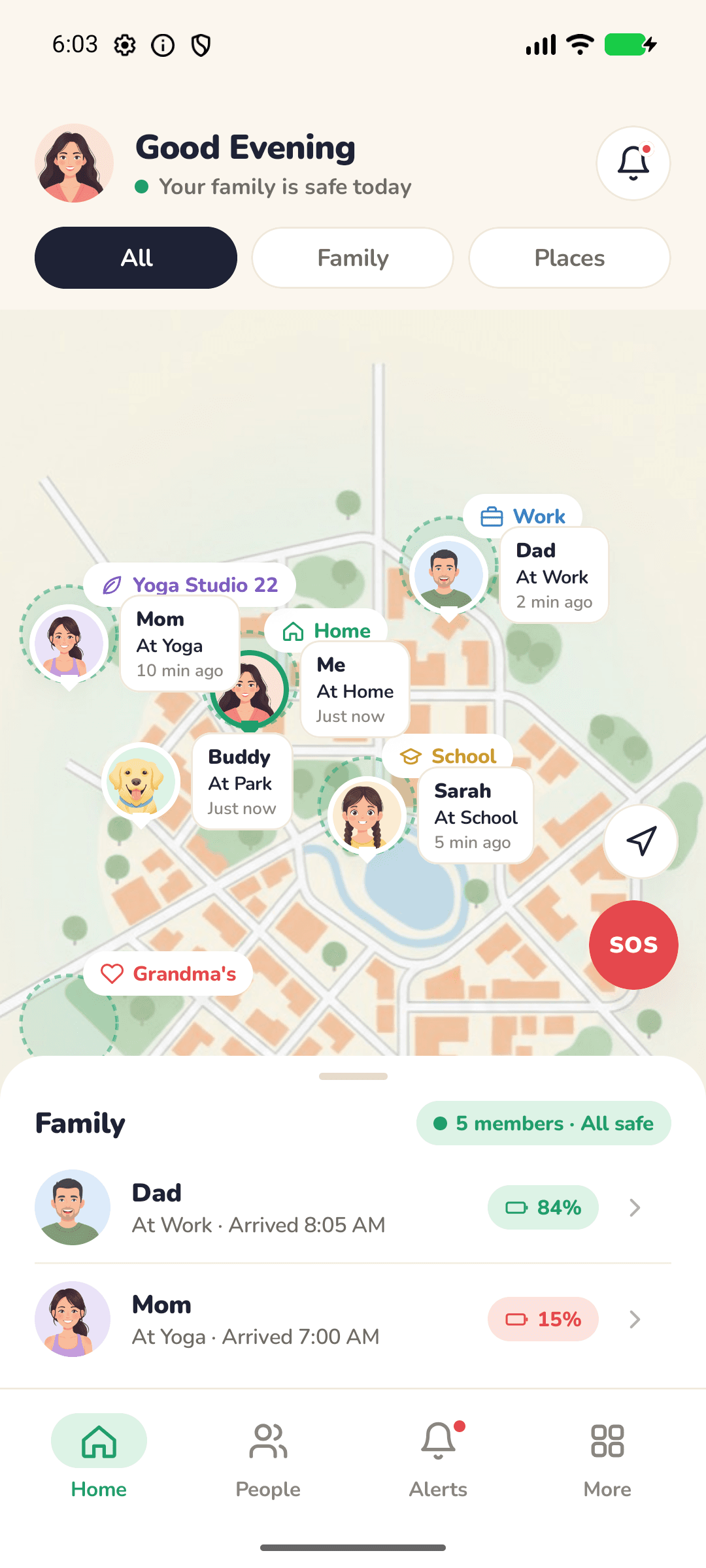
Explore the real screens. A familiar place for your whole family.
A shared view of the people and places that matter.
See where each person is and how recently they shared.
Arrival, departure, and battery updates in one place.
Keep your family's everyday safe places together.
Captured from GPSforFamily for Android running in demo mode. Sample names and locations; the map shown is the app’s illustrated demo map.
Less setting up. More getting on with your day.
Get the free GPSforFamily app and create your account. Your family’s new little corner starts here.
Create a private circle and share its code. Your loved ones knock, you approve, and they're in — join as many circles as your life has.
Choose to share your location, add your everyday places, and let the little updates come to you.
Be in the circle at home, the one with your parents, and the one for this weekend’s trip — and only let in the people you choose.

Switch between circles with a tap. Each one has its own members, safe places and alerts, so the grandparents never see the trip group and the trip group never sees home.
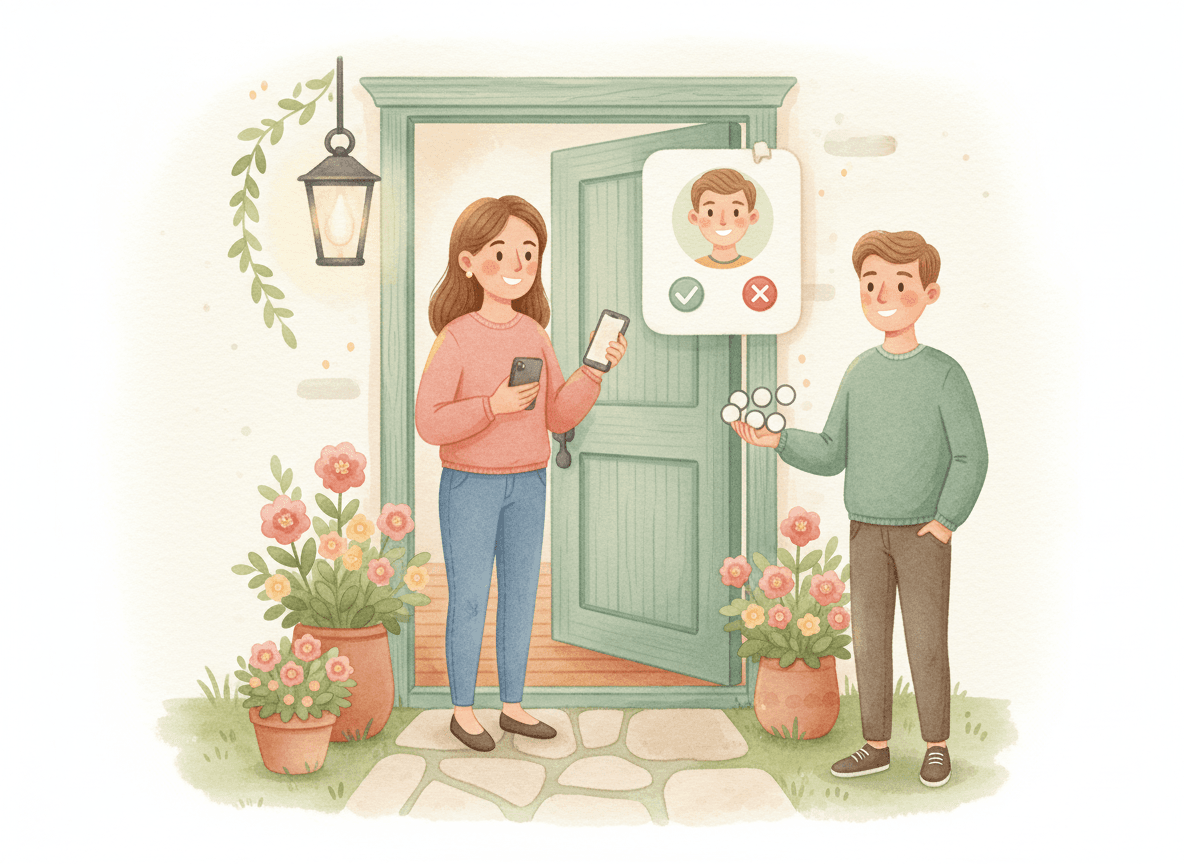
Every circle has a six-character code you can read out across a table. Anyone who types it knocks first — an admin approves them before they can see a single pin.
 A safe place to come home to.
Being close should feel good. GPSforFamily is location sharing with consent, never secret tracking: invite your own people, manage your location permissions, and pause sharing in the app whenever you need to.
Explore privacyGPSforFamily is free. Every feature of the family locator is included for everyone — no subscriptions, no in-app purchases and no plans to pick.
A little clarity about family GPS tracking
before you bring your family together.
GPSforFamily (GPS for Family) is a free family GPS app for Android and iPhone. It works as a family locator: everyone in your private family circle can share their live location on one map, get arrival and departure alerts for places like home and school, look back at location history, and send an SOS alert when it matters.
Create an account in the app, start your family circle, and share its six-character code. Each person enters it on their own phone; an admin of the circle approves them, and then they enable location sharing. Your family can then see each other's live location and receive place alerts.
Yes. GPSforFamily is a free family locator app with every feature included. There are no subscriptions, paid plans or in-app purchases.
No. GPSforFamily is built for family location sharing with consent. Each person installs the app on their own phone, joins the circle, and chooses to share their location — and can turn sharing off in the app's settings at any time.
Yes, with their phone and their participation. Add your child to your family circle, set safe places like school and home, and you'll get an alert when they arrive or leave — without another “made it?” text.
Yes. One account can belong to several circles — your home family, your parents, a trip with friends — and you switch between them in the app. Circles never see each other: each has its own members, safe places and alerts.
No. Typing a circle's shared code only sends a request; a circle admin has to approve it before that person sees anyone. Repeated wrong guesses are blocked, and an admin can issue a new code at any time. Invites emailed to a specific person skip the approval step, because someone inside sent them.
Each person sharing their phone's location needs the app, an account, location permission, and an internet connection. A pet needs a compatible GPS device and configured integration; a pet profile alone does not provide live tracking.
The Android app uses a foreground location service. Updates depend on location permissions, connectivity, device settings, and battery optimization. A timestamp helps you understand how recent a location is. The website preview uses sample data and never requests your location.
Yes — the iPhone app is on its way to the App Store, alongside the Android app on Google Play. Official store links will appear here as soon as each one is live.
SOS sends an urgent alert and your location to your family circle. Delivery depends on connectivity and notification setup. It does not contact emergency services or guarantee a response. Call your local emergency number when immediate help is needed.

Get GPSforFamily, the free family GPS app for every person who makes your world feel like home.